

Cut it into flows
use case → stage → journey, for every path through the feature.
Every company keeps its numbers in a cloud data vault. What separates BI products is how answers get out.
ThoughtSpot's whole pitch: skip the queue and just ask.
Answers are built for you, a request, a queue, a specialist. Days, every time.
Answers are pulled by you, type the question, the warehouse answers live. Two things make that possible:
Everything ahead is built from these five, and they stack in a strict order. Scroll to raise the tower, bottom to top.
The cloud vault where the company's data actually lives. It never leaves home.
The plug into that vault, credentials plus an address: which database, which schema.
A friendly map over raw tables, renames columns, adds formulas, so plain-english questions land.
ThoughtSpot's word for a dashboard: a wall of live, clickable charts everyone reads.
just one object type, answers, tables, charts & spotter chats live here too. we're focused on liveboards.A sealed room inside one customer's ThoughtSpot, its own people, its own data, its own rules, wrapped around the whole stack.
A beauty retailer, a telco, a bank, slicing themselves into orgs: by region, brand or team. Their call, their count.
A hiring platform, resold: every paying client gets an org of its own, behind TalentIQ's buttons.
same machinery, higher stakesBoth run on the same quiet machinery underneath: orgs.
Every number drops through a stack of admin-controlled gates before it reaches a screen. Scroll to pull it apart, then hover a layer.
Pick any layer to see the gate it controls, and who it lets through.
Walls off an entire market's people and data, nothing leaks between rooms.
Grants a whole team access at once, instead of person by person.
Every request carries one identity, who's asking decides what the layers below resolve to.
Hides whole fields, cost, margin, PII, from the wrong eyes.
Narrows the same board to only the rows you're cleared for.
The walls are the feature. Sharing across them is this story.
Meet a global beauty retailer, eighteen orgs, one per market, and you'd guess the name. Analysts in the US org build a Liveboard called Sales Overview, and it's good. Word travels faster than walls.
“can we get Sales Overview in our org?”
“same board, please. in ₹.”
“us too, and our fiscal year starts in feb.”
+ fifteen moreAn imported copy says the same everywhere. The board has to mean the same.
So the US admin files a ticket. Then another. Every rollout meant chasing the SRE and data-maintenance teams to wire it up by hand. In 2025, that was the only path:
Every one of those rollouts landed on the same desk. Publishing across orgs wasn't self-serve, so week after week, the requests piled onto ThoughtSpot's own SRE and data-maintenance teams.
“An ugly solution… not repeatable… incoherent.”
That's a customer who had developers to burn on scripts. Teams without them exported and imported files, org by org, by hand. One team even had an AI build them a rollout tool, it broke too.
Cross-org sharing ran on exports, scripts and patience, invisible, fragile, never built for humans.
Build once, publish everywhere, from a screen, not a script.
october 2025 · green-lit as top priorityThe fix is older than software: the HQ report.
Revenue: {{currency}} 4.2m
Quarter starts: {{fiscal}}
In ThoughtSpot the placeholders point at data. Swap one, and the same board reads a different org's warehouse. That's the whole mechanic.
Sharing without placeholders is photocopying. With them, it's translation.
Three moves, and that's the whole system. Chapter 04 walks all three as real screens.
name what changes per org, then map one value to each.
{{currency}} → $ · € · ₹
swap every hardcoded value in the object for its slot.
curr = {{currency}}
push once; each org opens it resolved to its own context.
✓ 18 orgs, in context
Slot by slot, someone turns the US org's copy into the company's template. Slow, careful, human work, done once. Then a publish looks like this:
Everything so far was one company sharing inward. ThoughtSpot's other business, Embedded, resells the same engine: each paying client company is an org of its own.
And the ground shifts. Internally, every org sits on warehouses the same company owns. In Embedded, every client brings its own account, its own credentials, a warehouse the platform doesn't control.
So a variable couldn't just swap a value, it had to swap the whole warehouse under each org. Screens cover a handful of orgs; for platforms running hundreds, I scoped the same flows as APIs for embed developers. Same idea, stretched to its limit.
Half the project happened before a single screen. “Just add a publish button” hid weeks of untangling: what depends on what, what connects to what, whose journey runs through it.
My first full feature here, owned end to end, and the gnarliest on the board. next: actually untangling it. →
Here's the uncomfortable part: this problem exists only inside ThoughtSpot. Orgs, variables, parameterised publishing, no competitor to reference, no pattern library to borrow from, no “how X does it” deck. Nobody had drawn this map before.
With no reference, the process had to manufacture certainty.
Where do you even start?
So the process itself stayed almost boringly simple, five moves, in order. The first three set the rules of the game. The last two were the quarter.
use case → stage → journey, for every path through the feature.
who wants what, and why, covering every finalised flow.
principles set with stakeholders, the project's constitution.
flowcharts of every case, decision and dead end. many versions.
vibecoded protos · blockframes · hi-fi, shown, torn up, rebuilt.
First I cut the project into five flows. Each had to name its use case, its stage and whose journey it was before it earned pixels.
name what changes per org; map one value to each.
starts in: data workspace
swap the hardcoded values in a model or connection for slots.
starts in: model · connection
push a board and its whole chain to chosen orgs.
starts in: the object itself
the board changed, roll the change to every org it lives in.
starts in: a published object
pull it back out, without silently breaking anyone.
starts in: a published object
Then I drew the machine itself, every use case, every decision, every dead end, and walked it with eng, PM and the field. One argument kept redrawing the map:
Which comes first, the variable, or the publish?
Model it variable-first, but let the publish create one in-flow. The system stays coherent, and nobody has to prepare before they're allowed to act.
That settled the rest of the machine. Four charts followed, each argued over before the next began.
four working files · the detailed flowcharts
Objects are downstream of what changes per org. Get that order wrong and every screen after it argues with itself.
The unpublish tree was drawn last and argued over most, because the destructive cases are where a system quietly loses trust.
People enter from wherever they already are. The entry can differ; the machine underneath cannot.
Tight loops, one quarter, no reference product to copy. Engineers, PM, design and the field co-writing it in one room, so feedback landed while course changes were still cheap.
the pressure was real, and it was shared. next: the screens that came out of all this. →
One admin, one morning, one errand, that's how we'll walk the screens. For the sake of a linear story she works top-down: variables first, then the model, then the publish itself.
Meet Sarah, platform admin at that beauty retailer from ch 02, the person who knows every connection string, schema and warehouse account by heart. Two liveboards, live in every market org by friday. It starts nowhere near a publish button.
A new room in Admin. Not buried in a model, not inside a publish dialog, a first-class shelf, because variables outlive any single board.
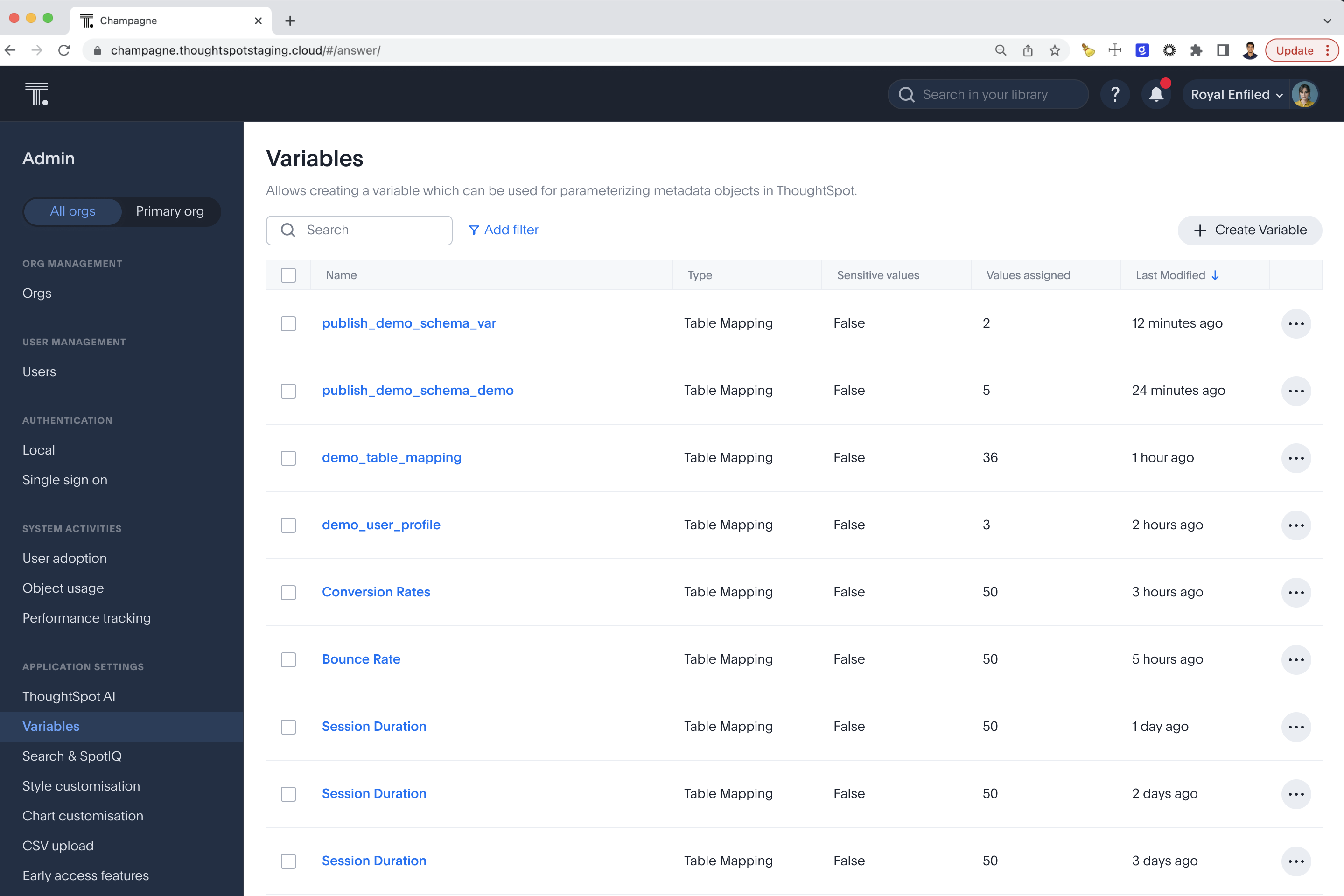
Every variable is one purpose paired with one scope. Purpose is what varies, scope is who it varies for.
Watch the dialog reshape as you scroll, this is a multi-scope type, the ch 03 matrix made real. (The simpler single-scope kind comes right after.)
Name it, pick table mapping. Watch what's missing, no scope section at all. Table mapping is org-only by definition, so the form never asks.
Name it, pick a scoped type like time zone. A whole scope section unfolds mid-dialog, because this type can vary by more than org.
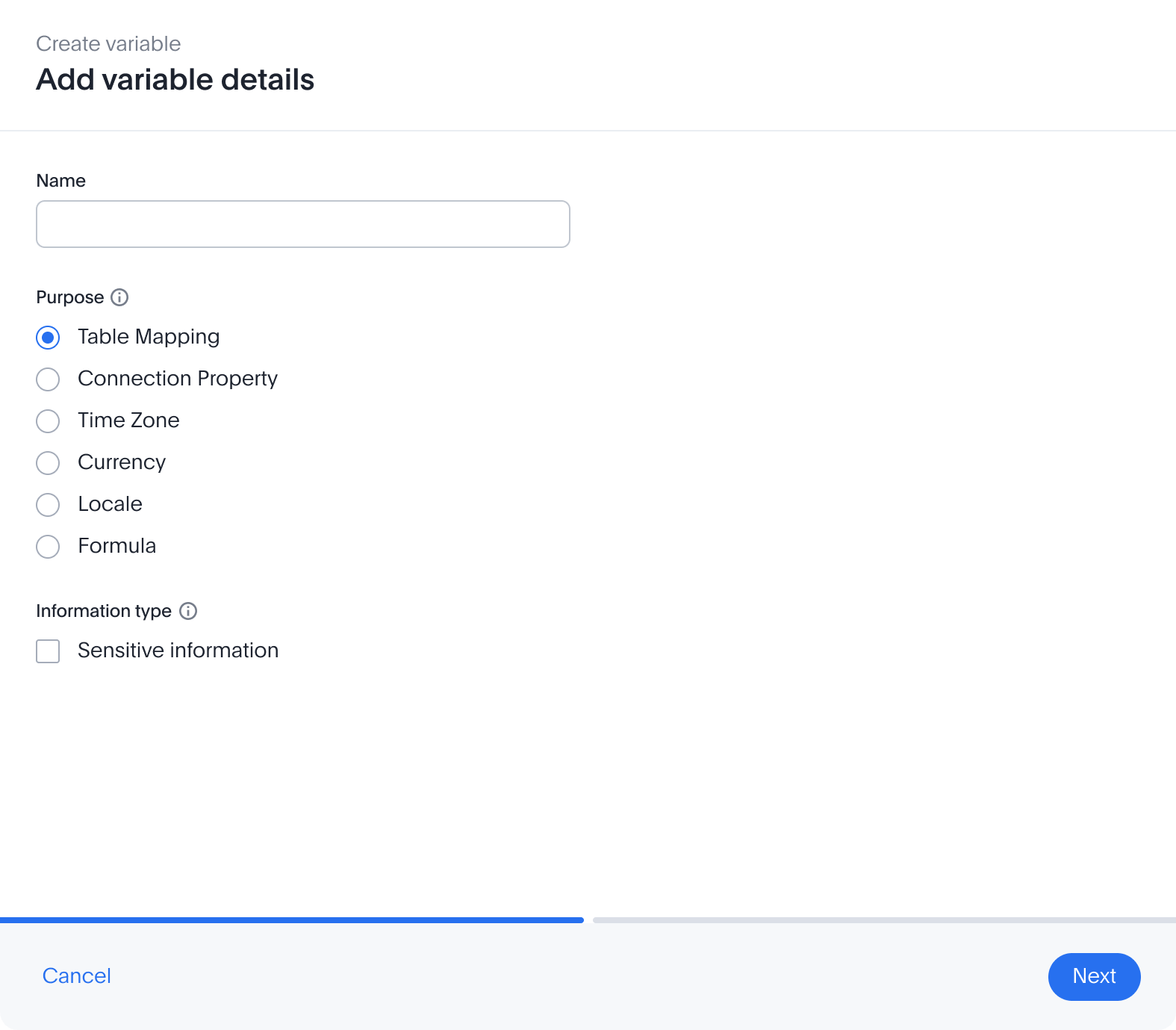
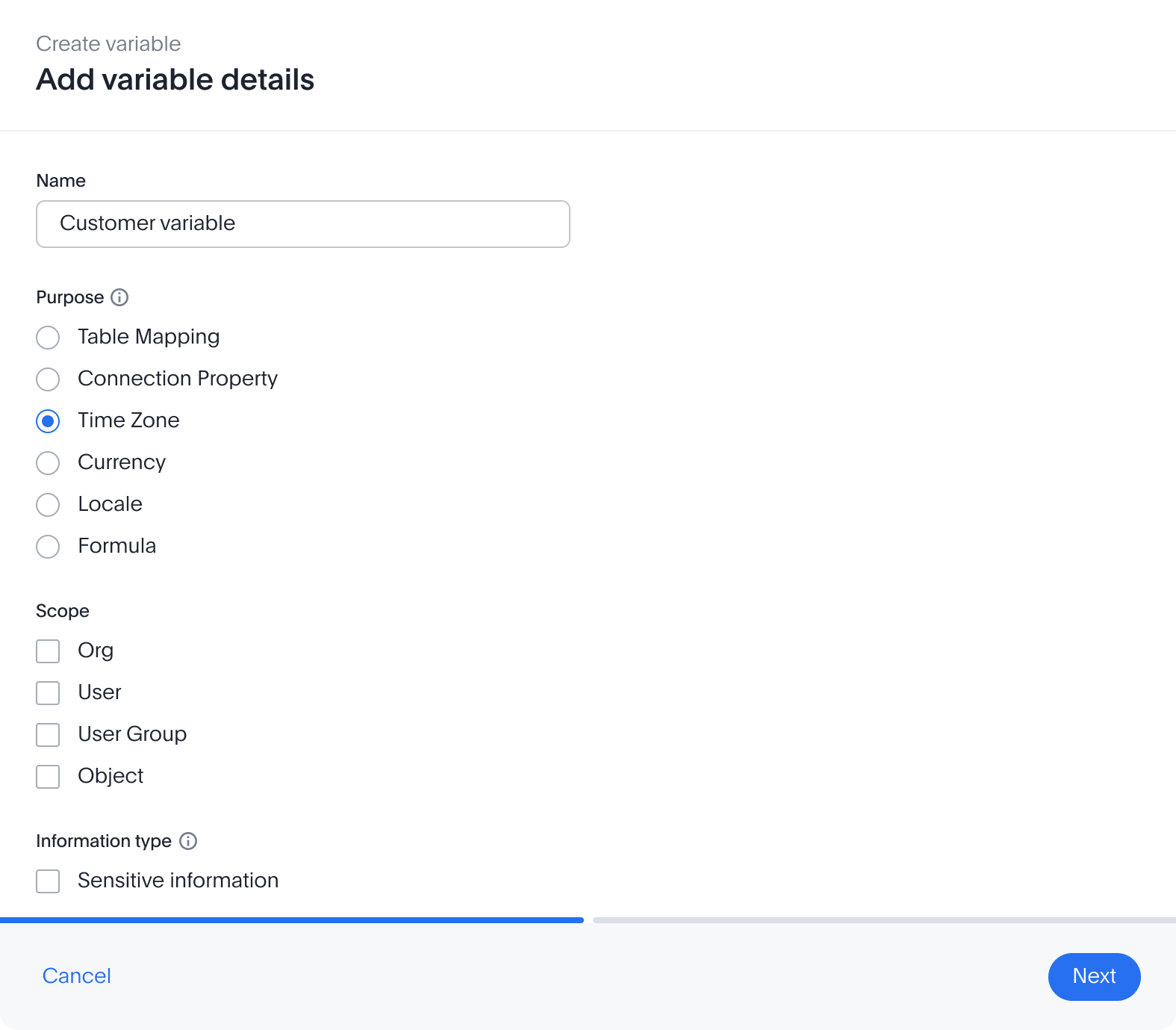
There is no step 2 here. Org is the only axis a table can vary on, so ThoughtSpot skips the choice entirely, one less decision to get wrong.
Sarah scopes it to org, and ticks sensitive information, values render masked everywhere, credentials never echo back to the screen.
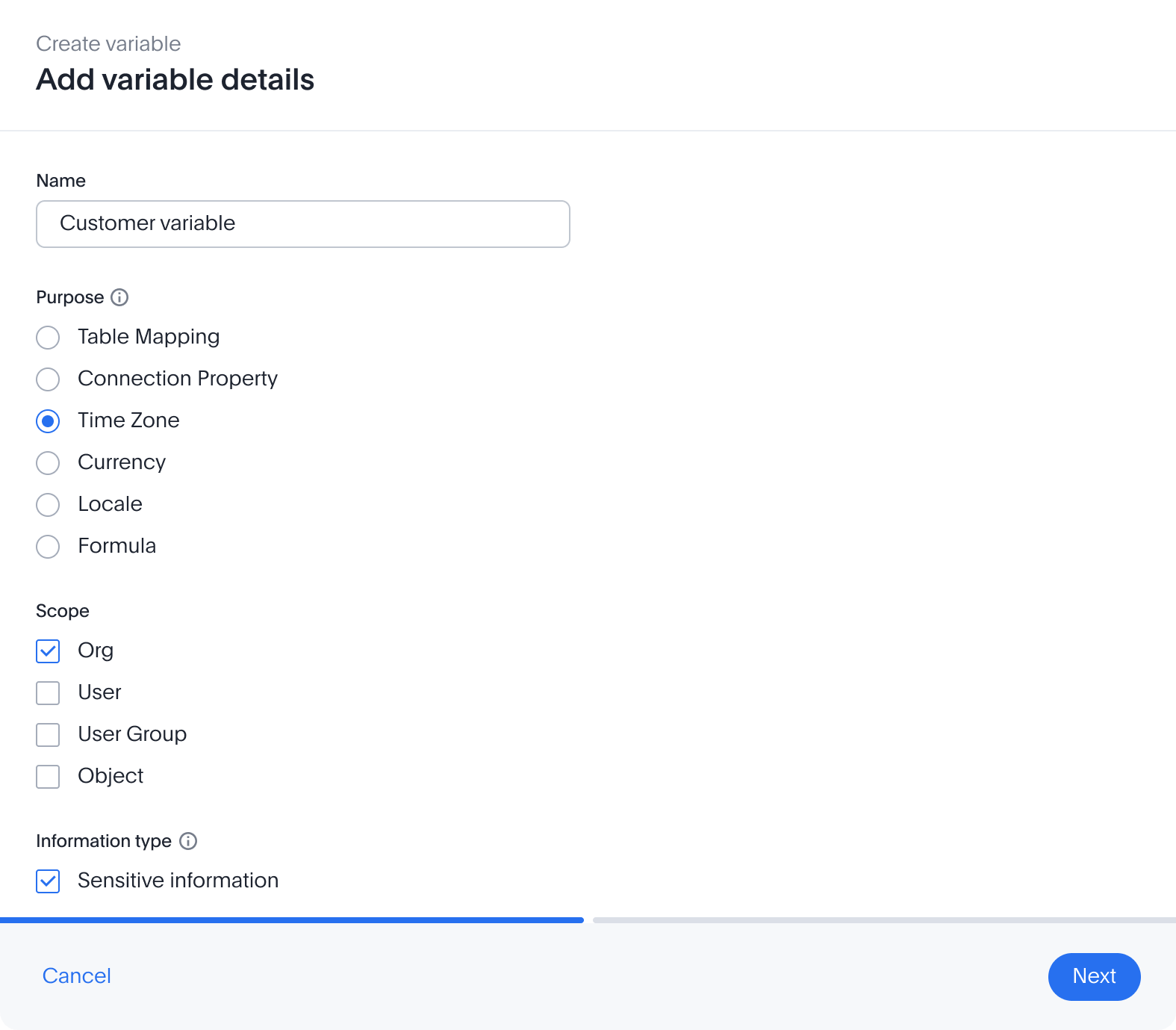
The mapping table opens blank, org on the left, value on the right, one add row action. Nothing is pre-guessed; Sarah is the one who knows the warehouse map.
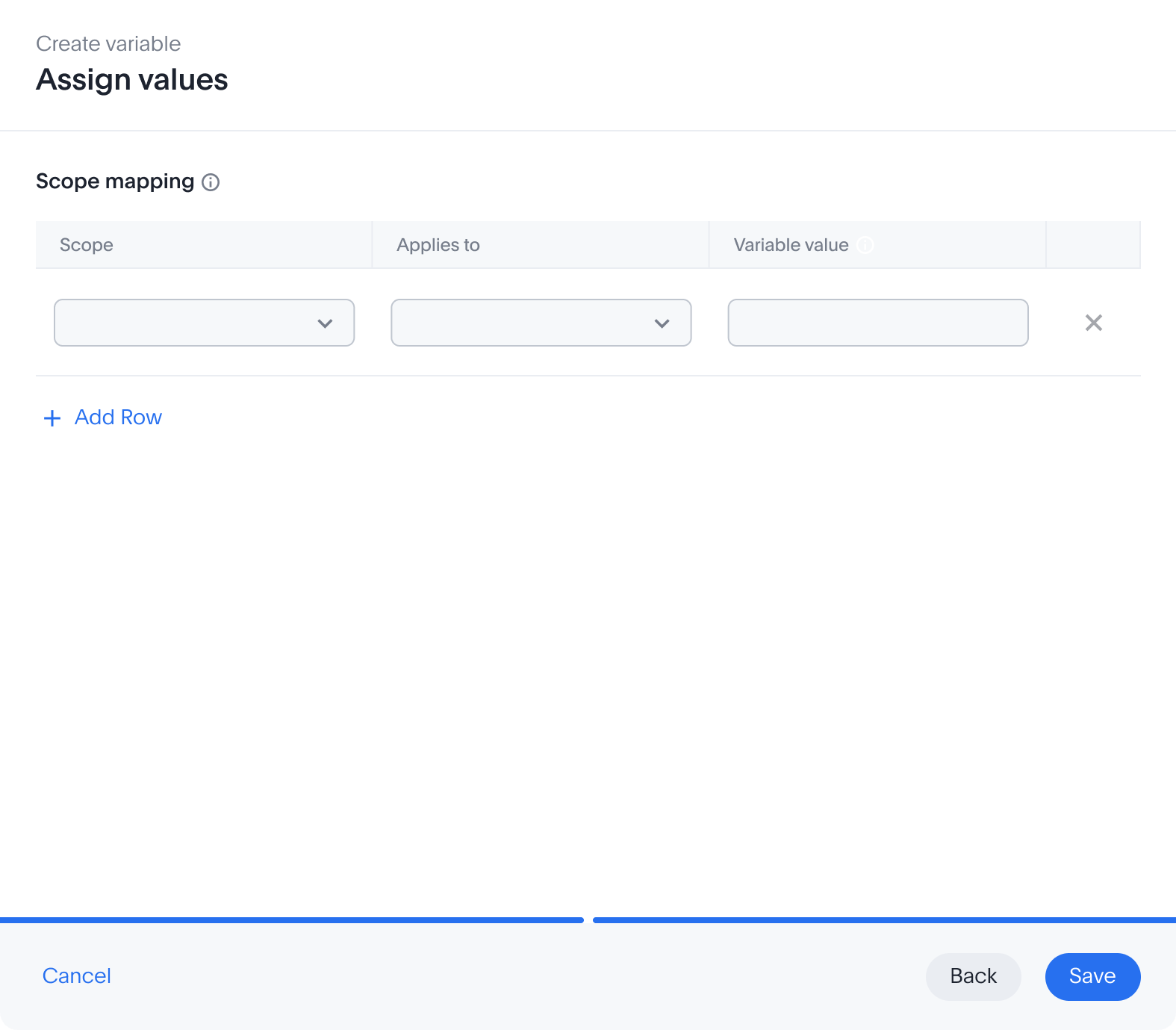
Same blank canvas, one extra column for scope. Nothing pre-filled, the tool waits for the person who actually knows the values.
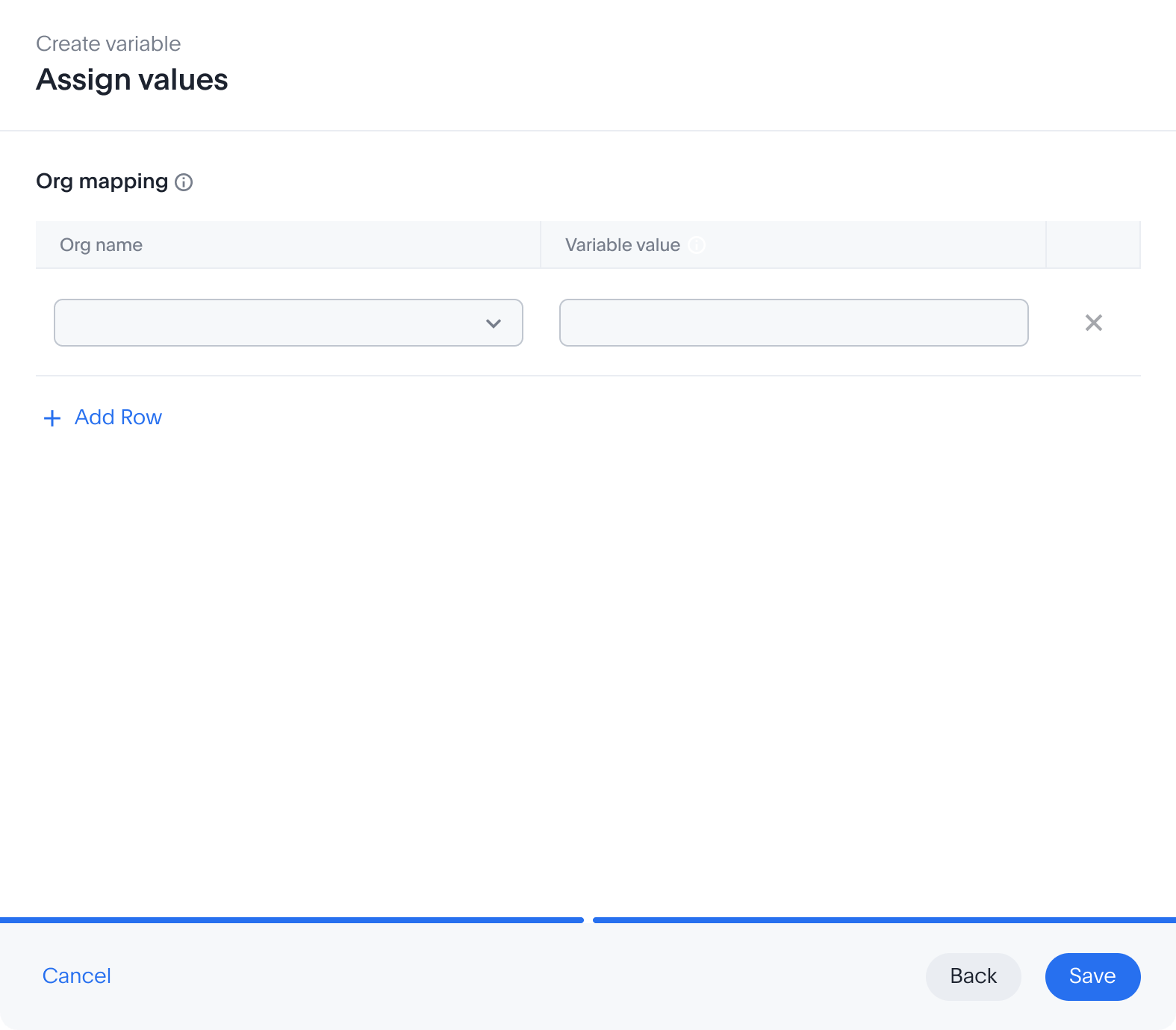
One row per org: coca cola → COKE. The same name resolving differently in every room, this little table is the whole idea, made editable.
A column per axis: scope · who · value. The org says PRIMARY, but for Reshma specifically, RESHMA. The most specific scope always wins.
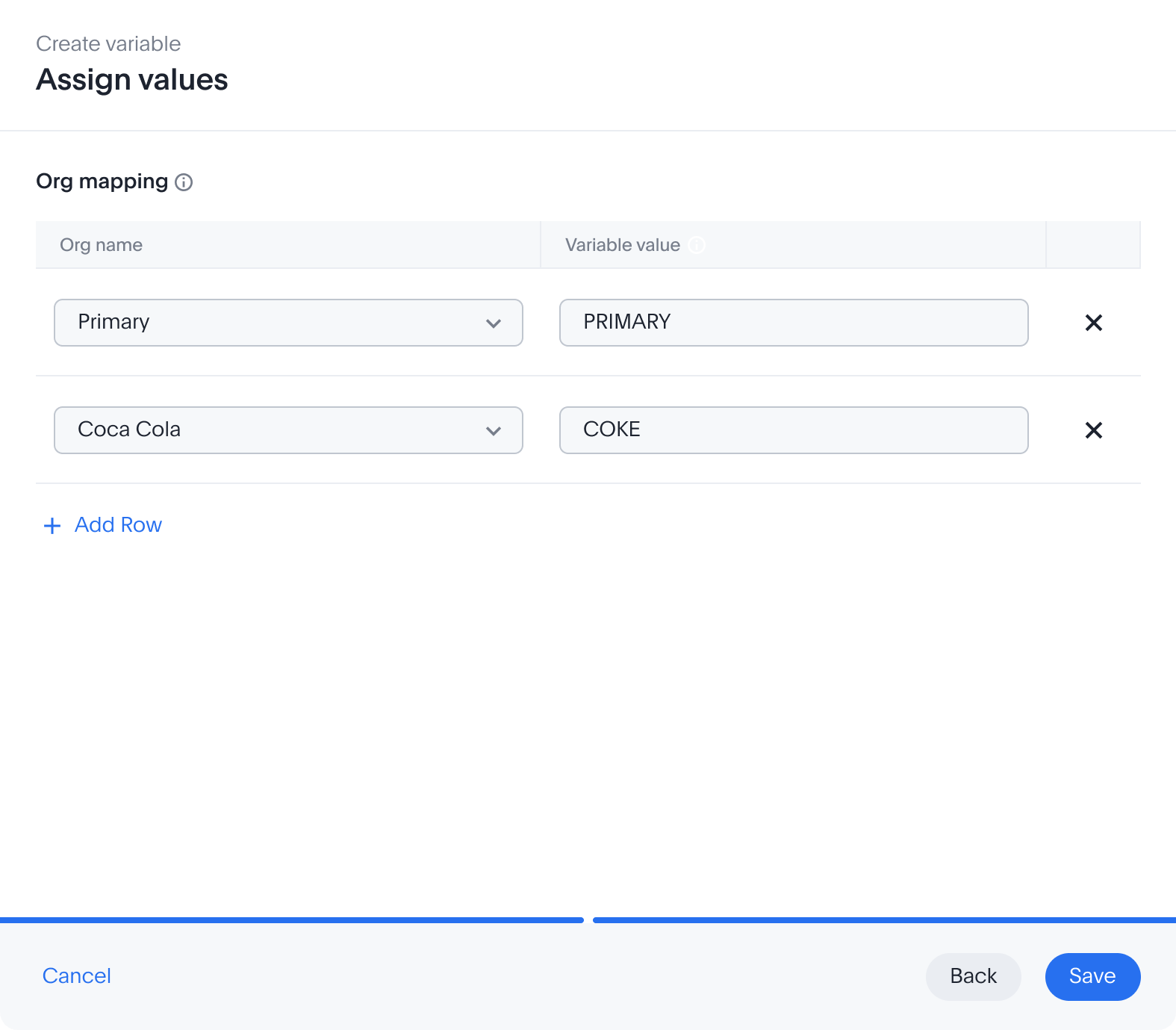
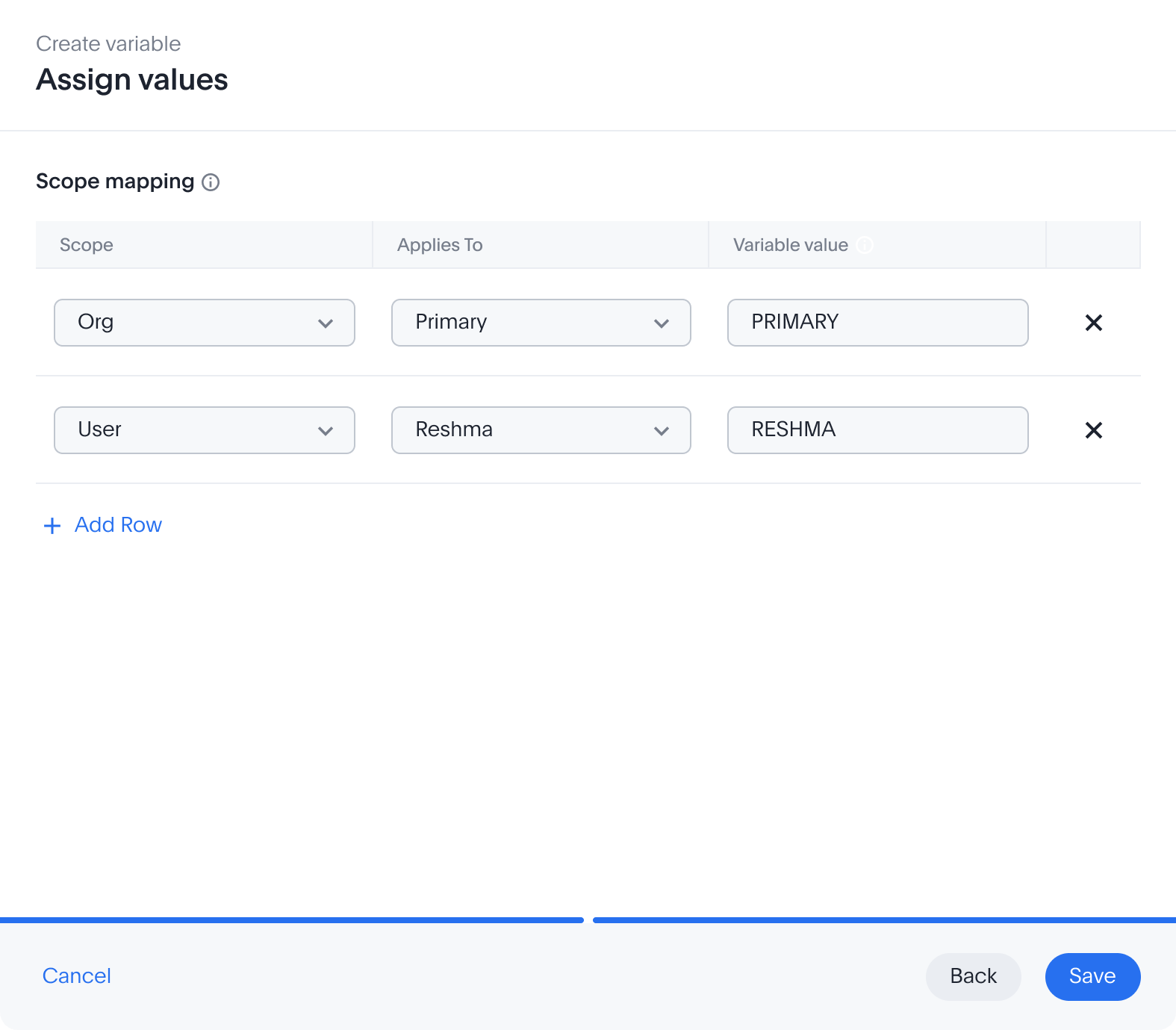
A table-mapping variable is org-only by definition, so the form never shows a scope section. Same three beats, one fewer decision: pick the purpose, then fill the map, org by org.
Get purpose and scope right and one governed board travels anywhere. No forks, no copies.
Not one variable, the exact set her two boards need across eighteen orgs. Each one a first-class object on the shelf, waiting to be wired in.
Nineteen minutes, no script, no ticket. The variables sit on the shelf waiting, next, Sarah points the model's tables at them.
The shelf is stocked. Now Sarah points real fields at those variables, parameterising. Two things can take a variable, and where the difference lives decides which.
Same warehouse, a different database · schema · table per org. The model stays one, the physical table it reads swaps underneath.
Each org has its own warehouse, its own account, user, password, keys. The whole connection resolves per org.
same warehouse, different table → parameterise the table.
a whole separate warehouse → parameterise the connection.
No new tool, no export. Select the table in Data objects, then hit Parameterise.
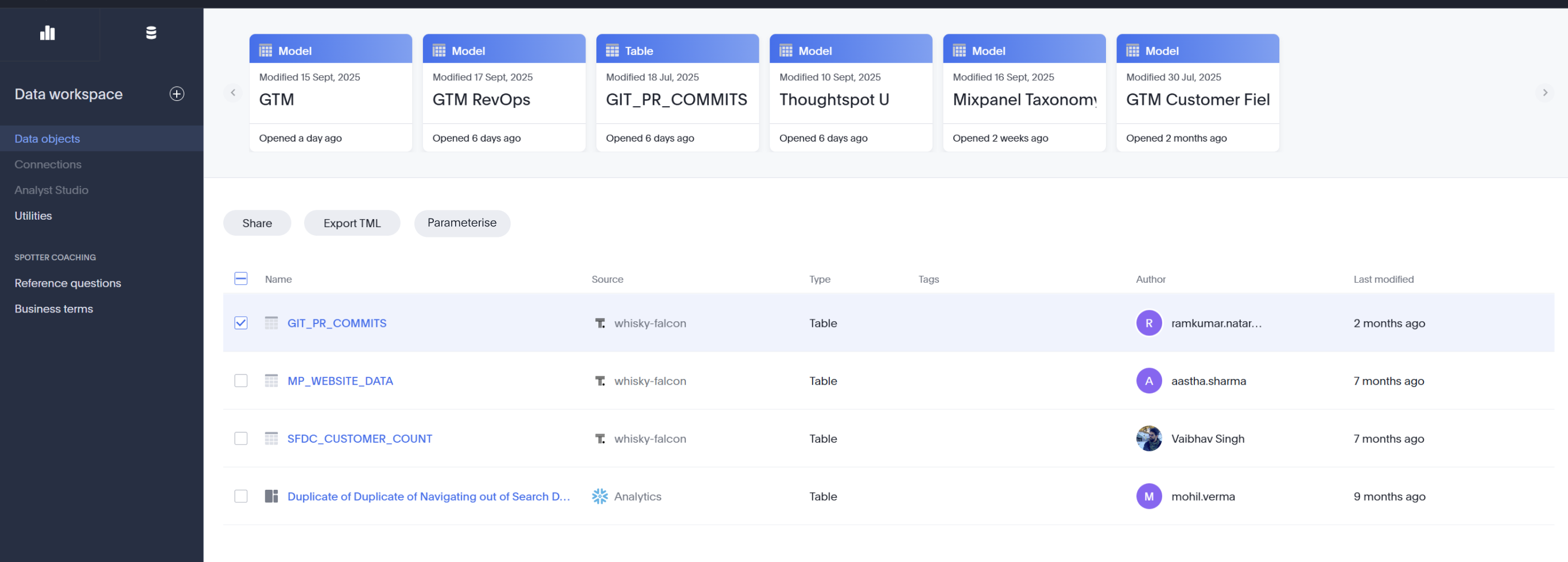
Every parameterisation is the same small loop, pick a field, bind a variable you already made, add another if you need it, repeat.
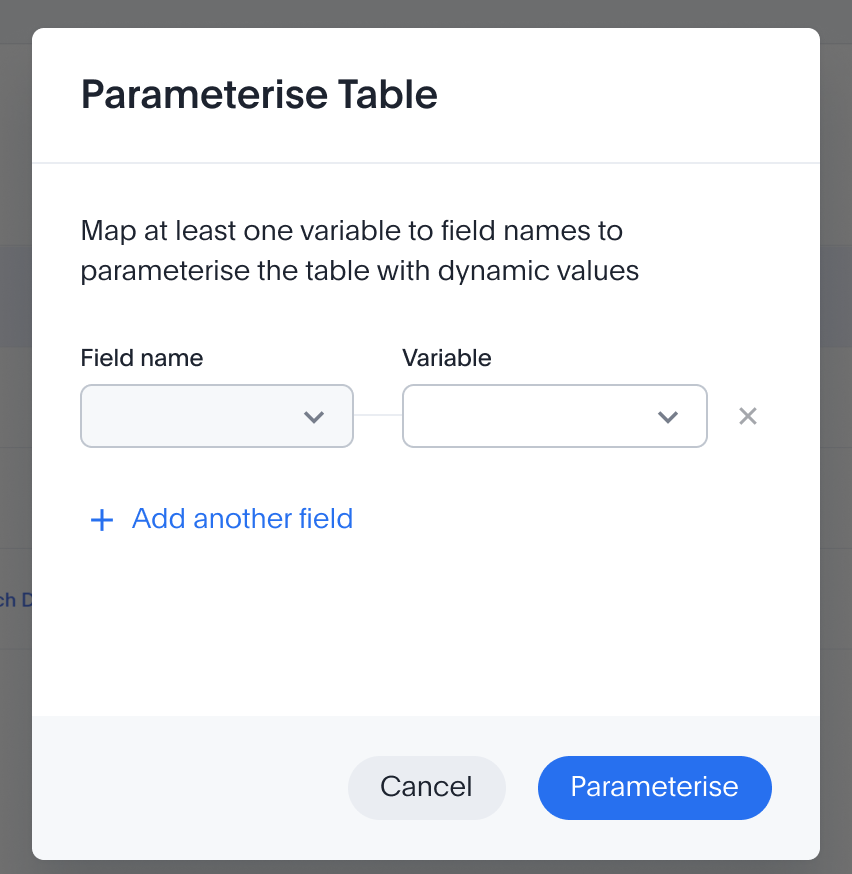
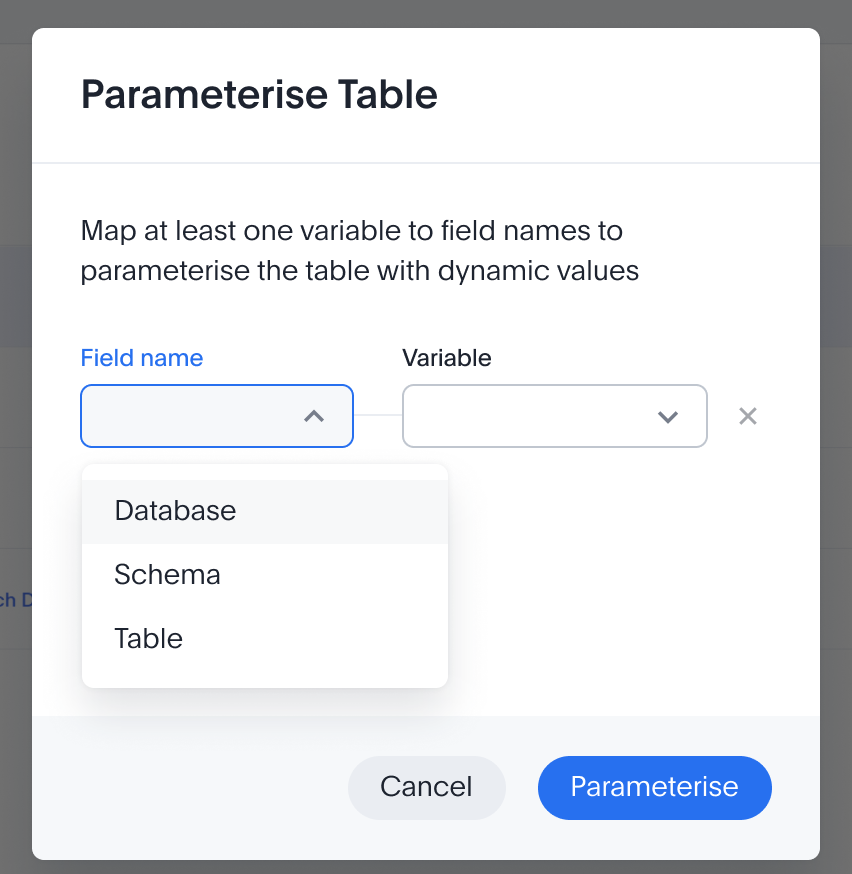
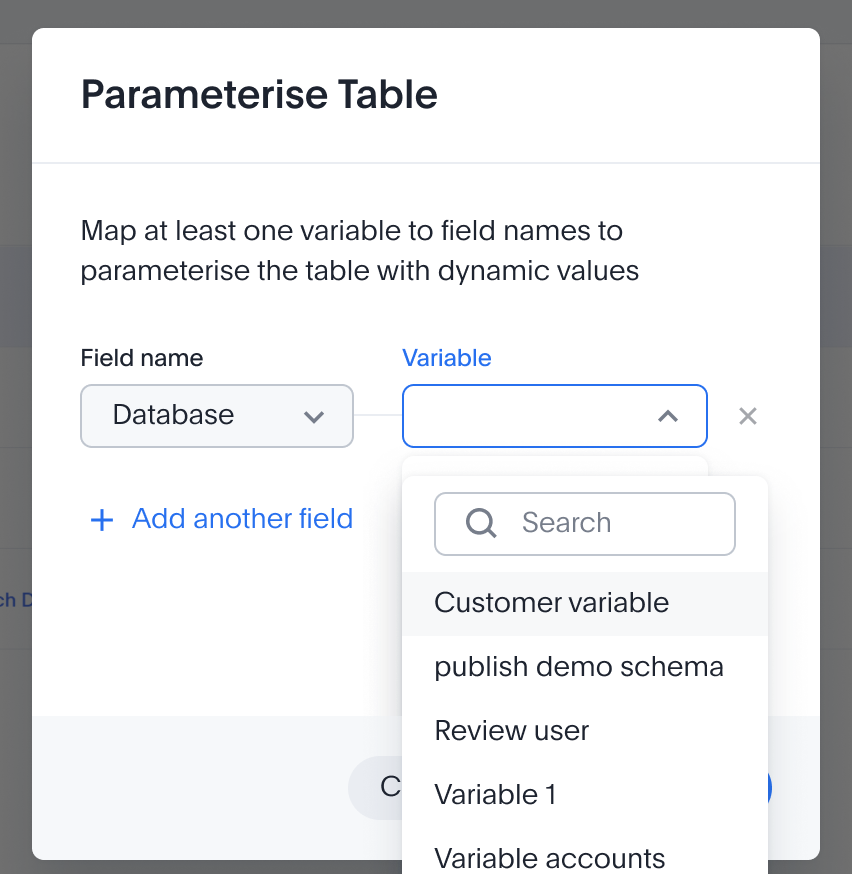
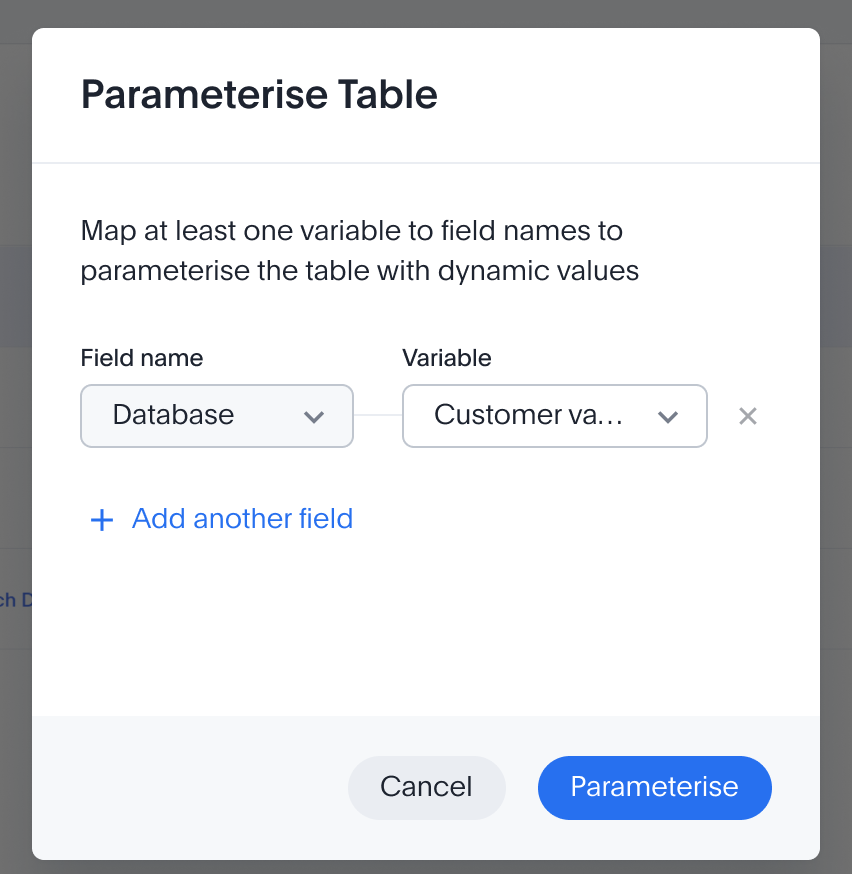
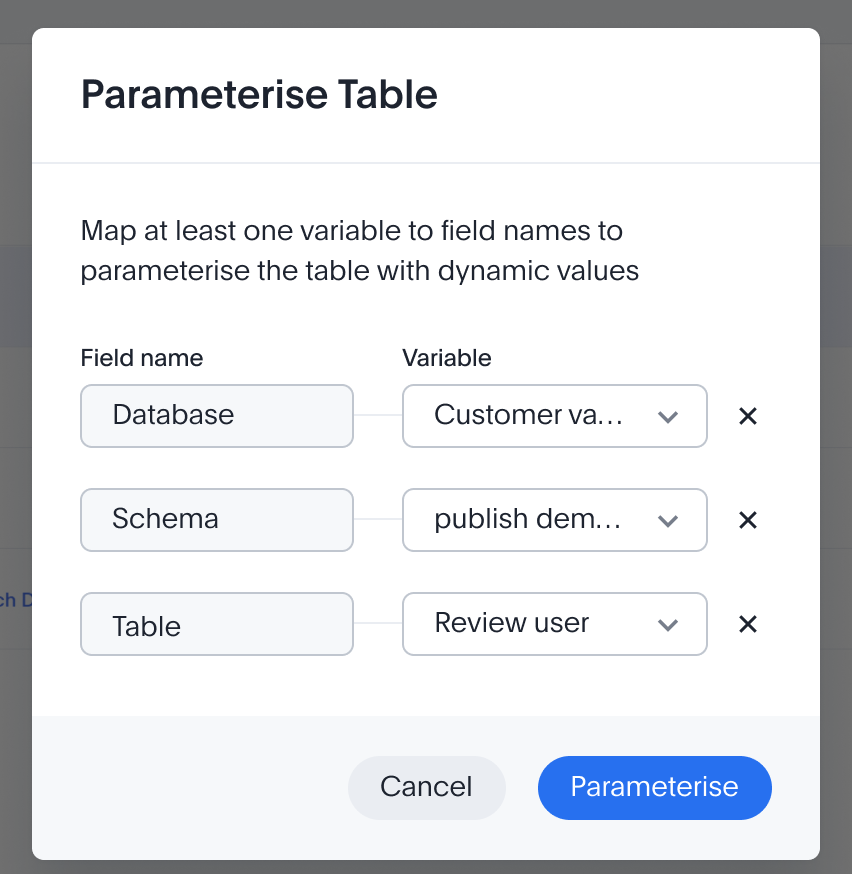
The dialog only offers fields that can vary, and variables that already exist. Nothing gets typed by hand, so nothing can be spelled wrong at 3am in an org you've never opened.
The hard part is behind her. Everything that varies is wired. All that's left is to say where, and press publish.
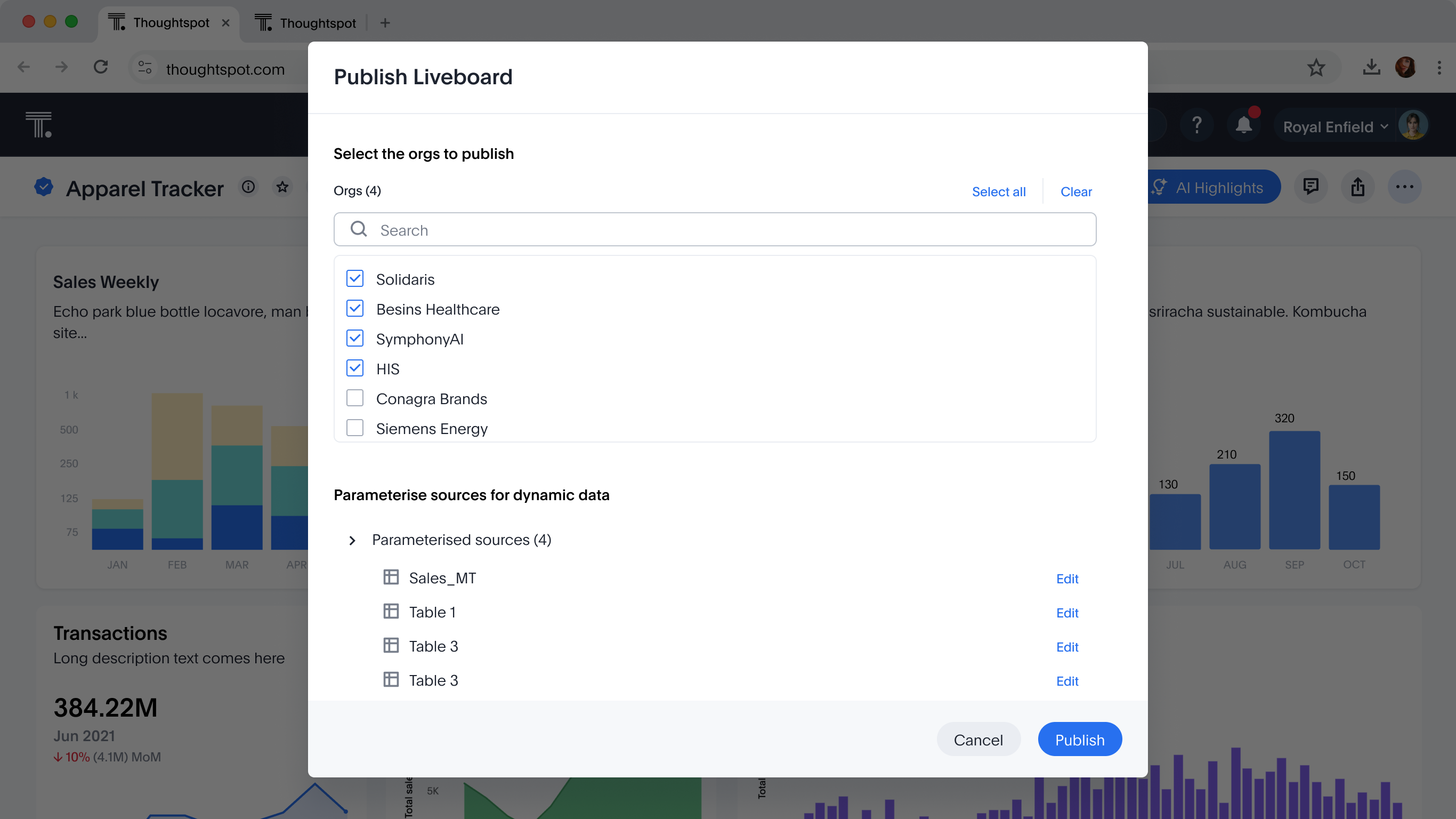
This is the whole point of the project, and, if the model's sources are parameterised, it's the shortest screen in the story. Sarah did that work already, so publishing is now just: say where, press go.
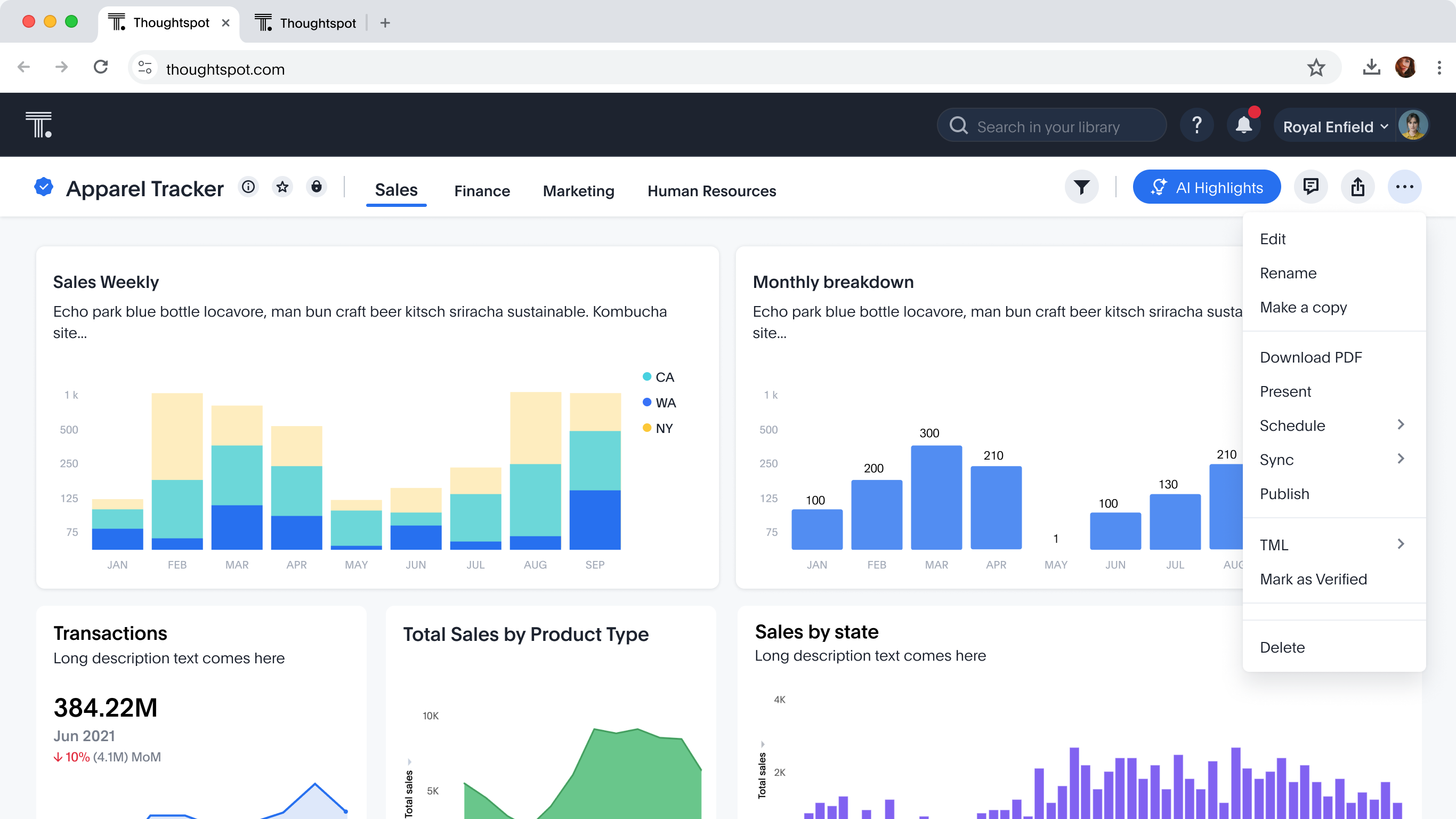
One screen does everything. Pick the orgs on top; the sources below tell you whether the board is ready to travel. That's it.
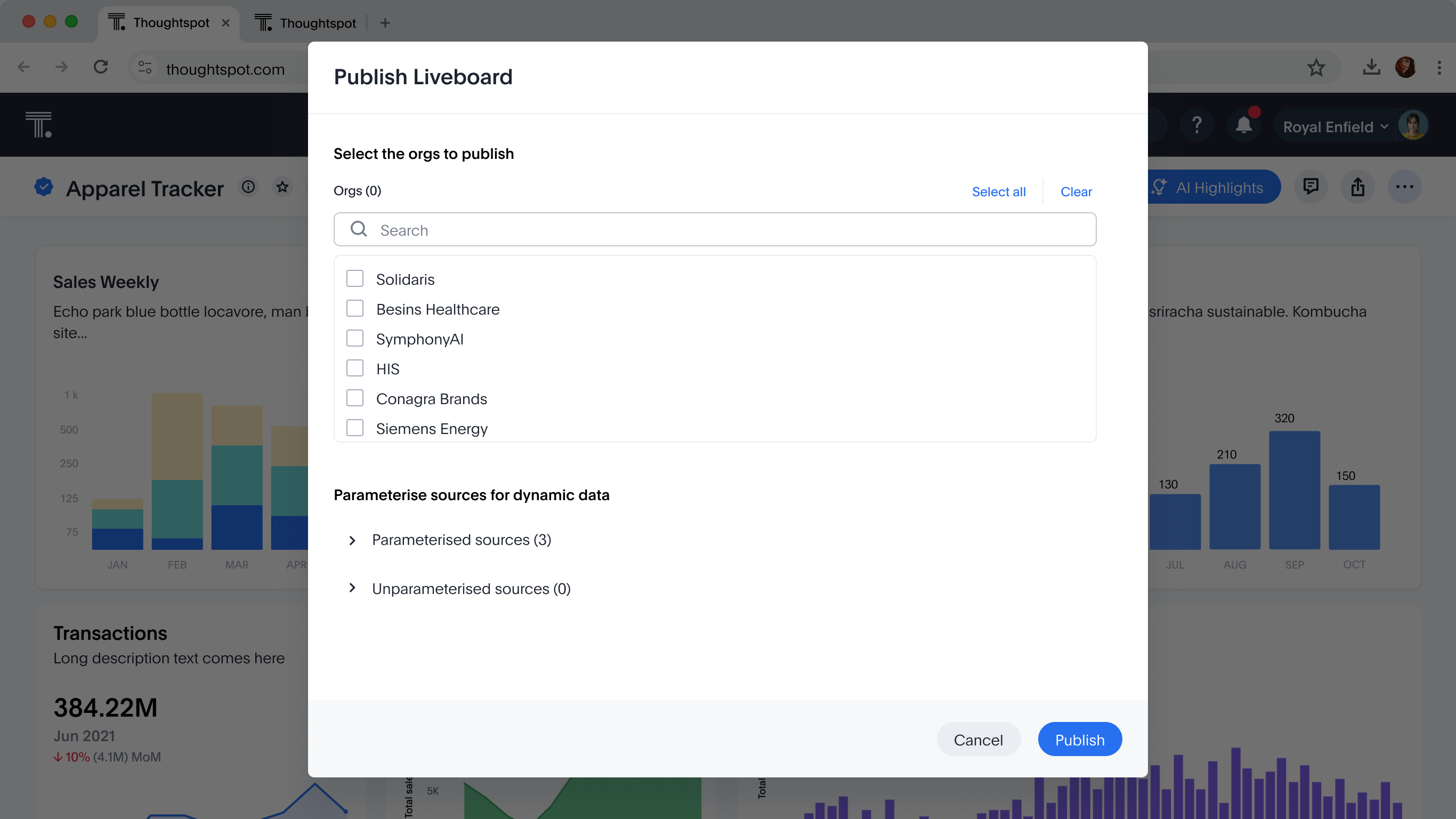
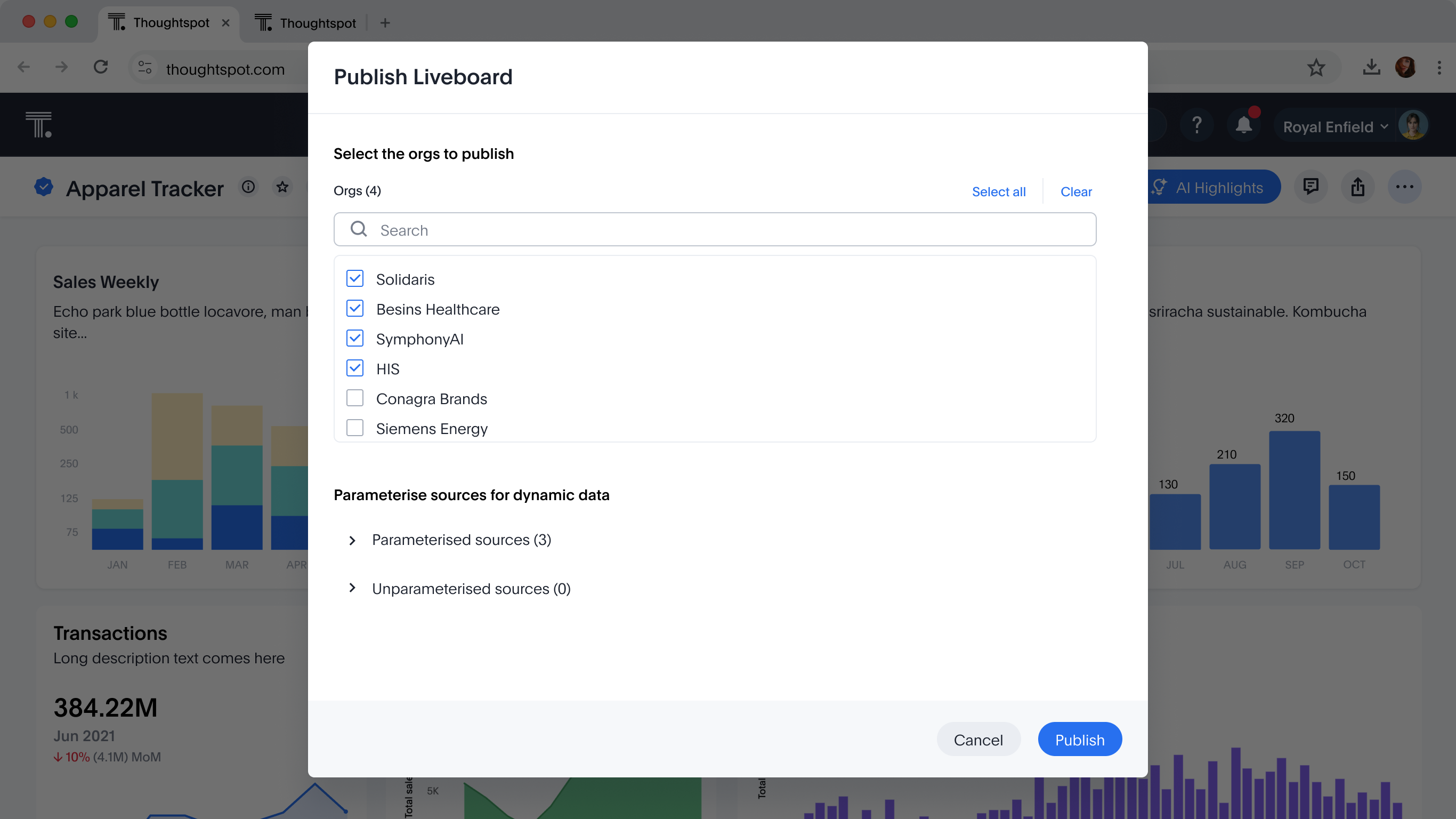
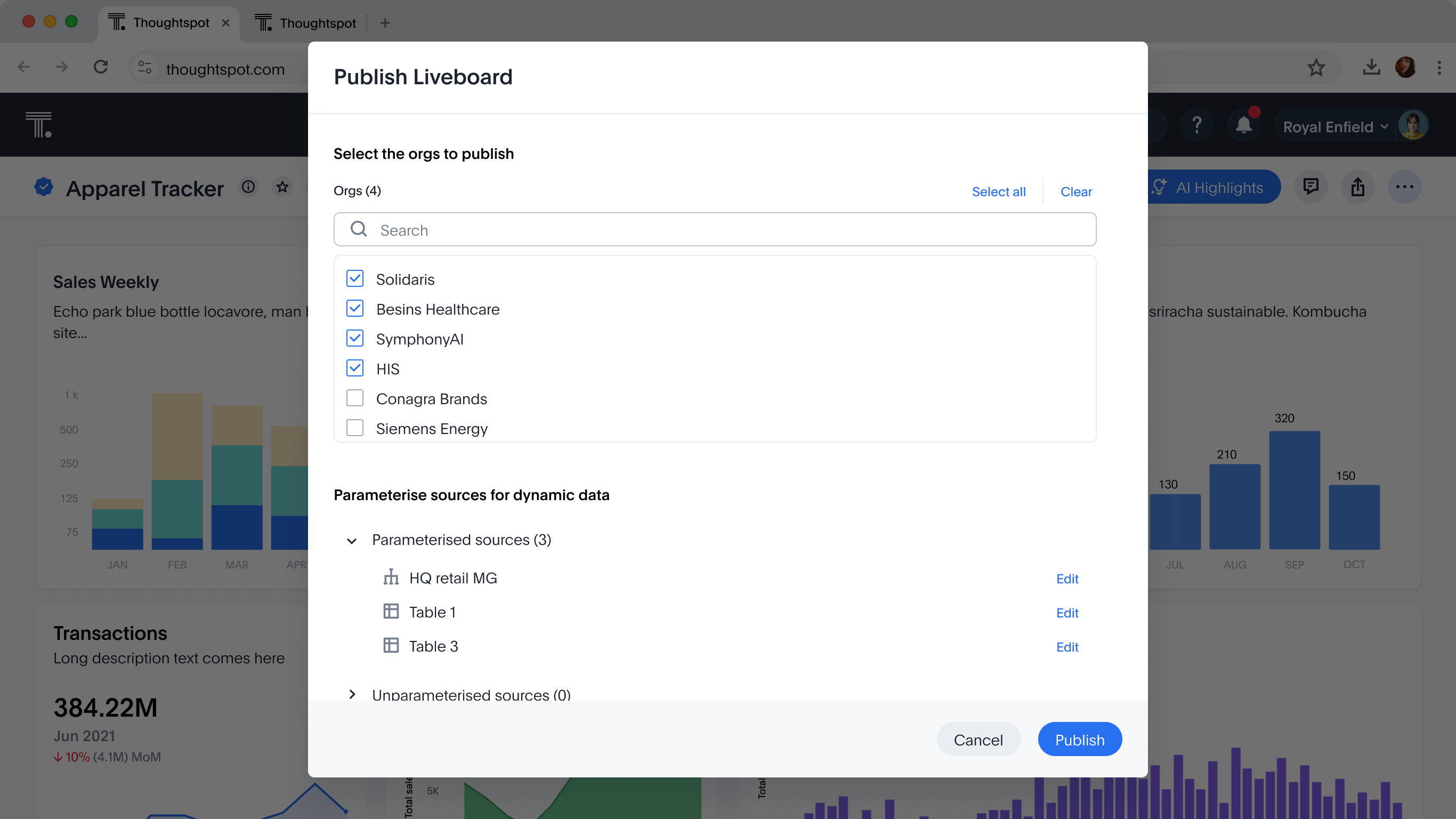
Cut a multi-step wizard down to one screen: orgs on top, readiness below. And that readiness list is also the fix list, so if something's blocking you, the fix is right there instead of another screen away.
Sarah's story was tidy. Plenty of admins hit publish and only then find work left, so the dialog lets them fix it without leaving.
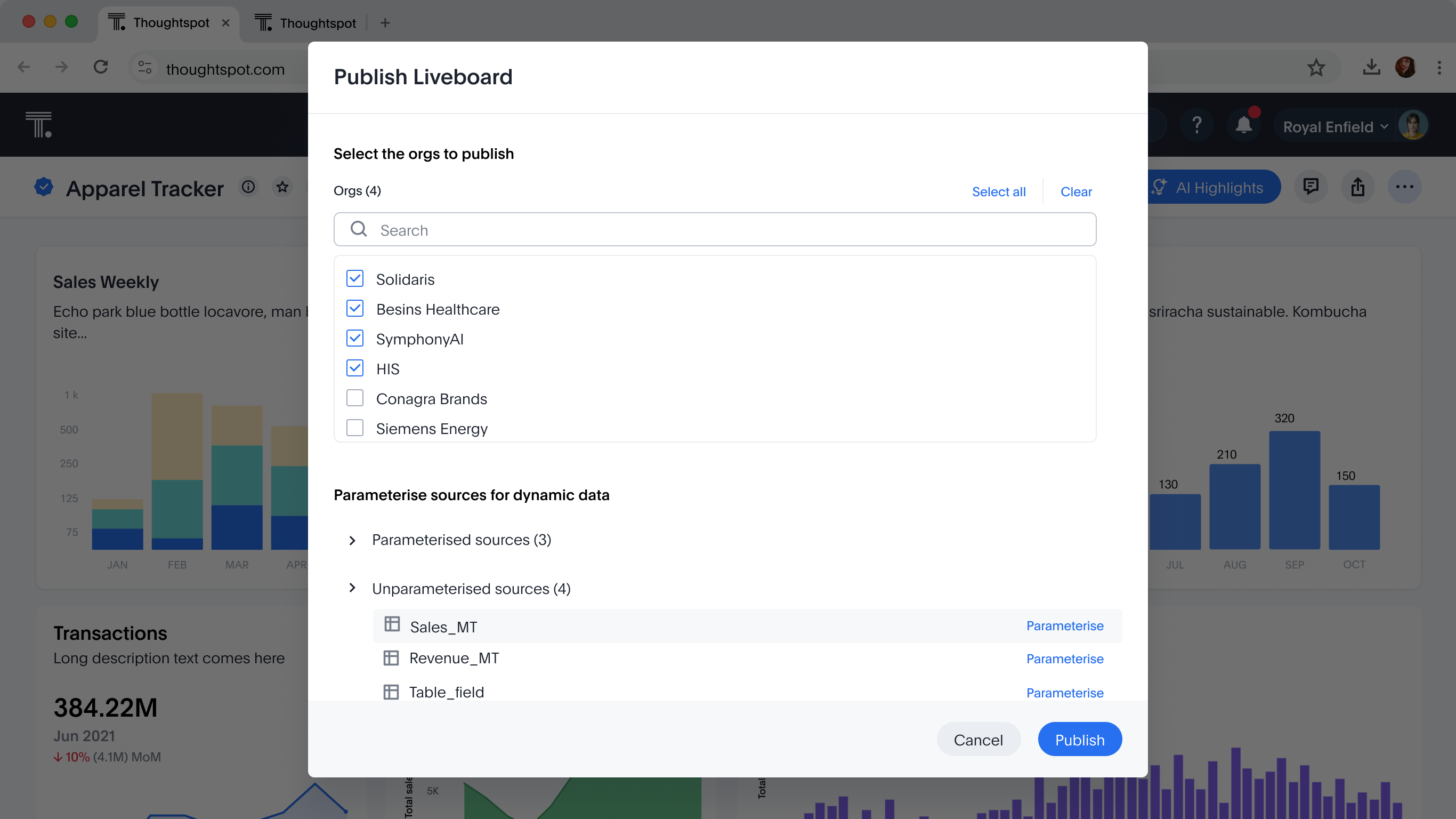
Variables and parameterisation done first; publishing is a formality. Fewer surprises.
Start at publish, resolve whatever's flagged inline. Fewer detours.
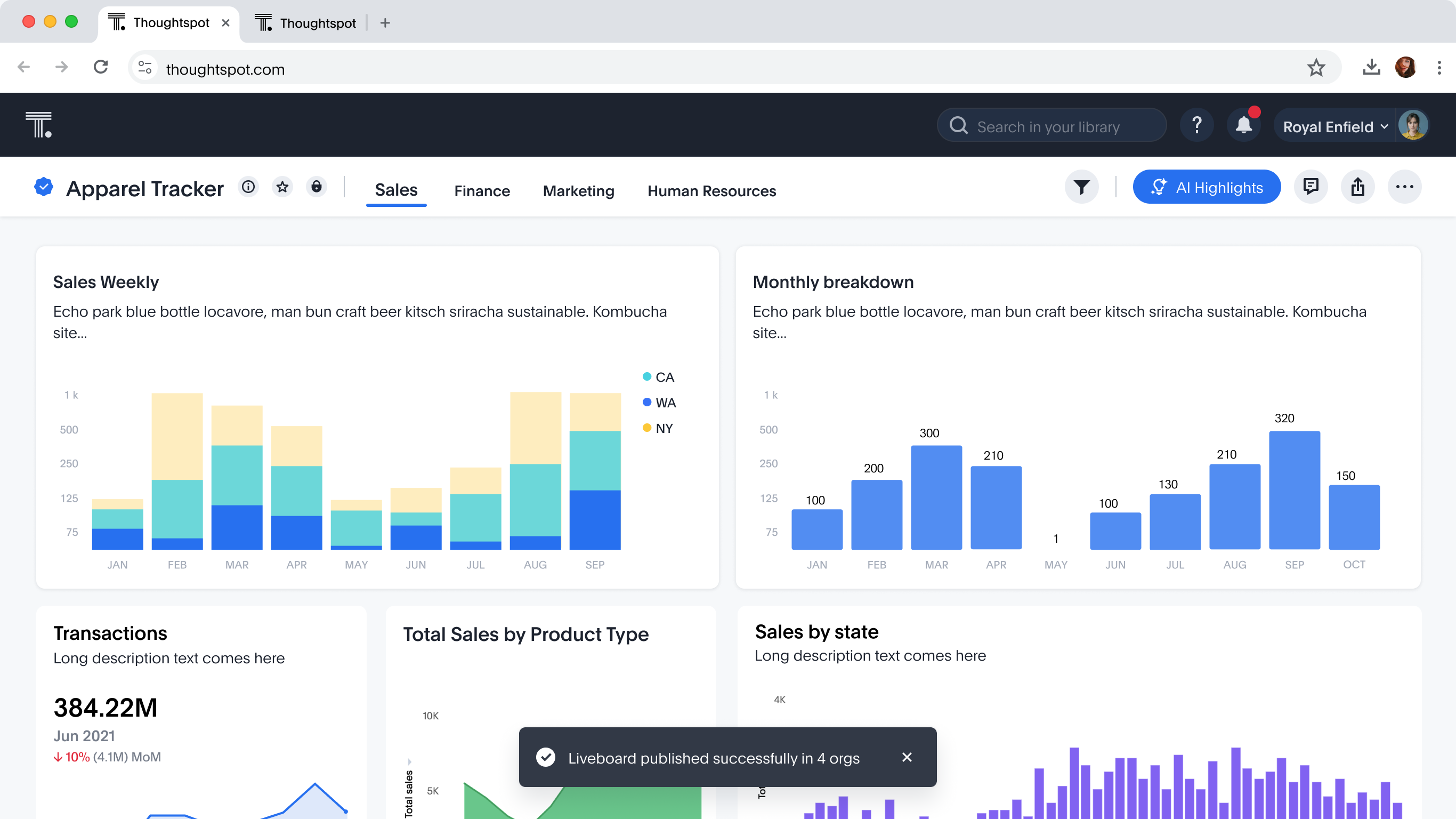
Two boards, eighteen orgs, no files and no scripts. Because the values that vary were pulled out and the sources were parameterised, the last mile is a checklist and a button, the errand that used to book a week now closes before lunch.
Done before her coffee cooled. Two liveboards, live in every market, and Sarah never once opened a script, a file or a ticket.
Every publish implies an unpublish, and that's where the real design problems hide, you can now break work other people are standing on. Two cases, worlds apart.
A board sits at the top of the chain. Pull it from an org and little else notices. Pick orgs, confirm, done.
Models are the backbone, hundreds of objects read from them. Remove one and the blast radius is real. The user has to see it.
From the primary org, choose which orgs lose the board. The copy does the teaching, what travels out with it, and what stays.
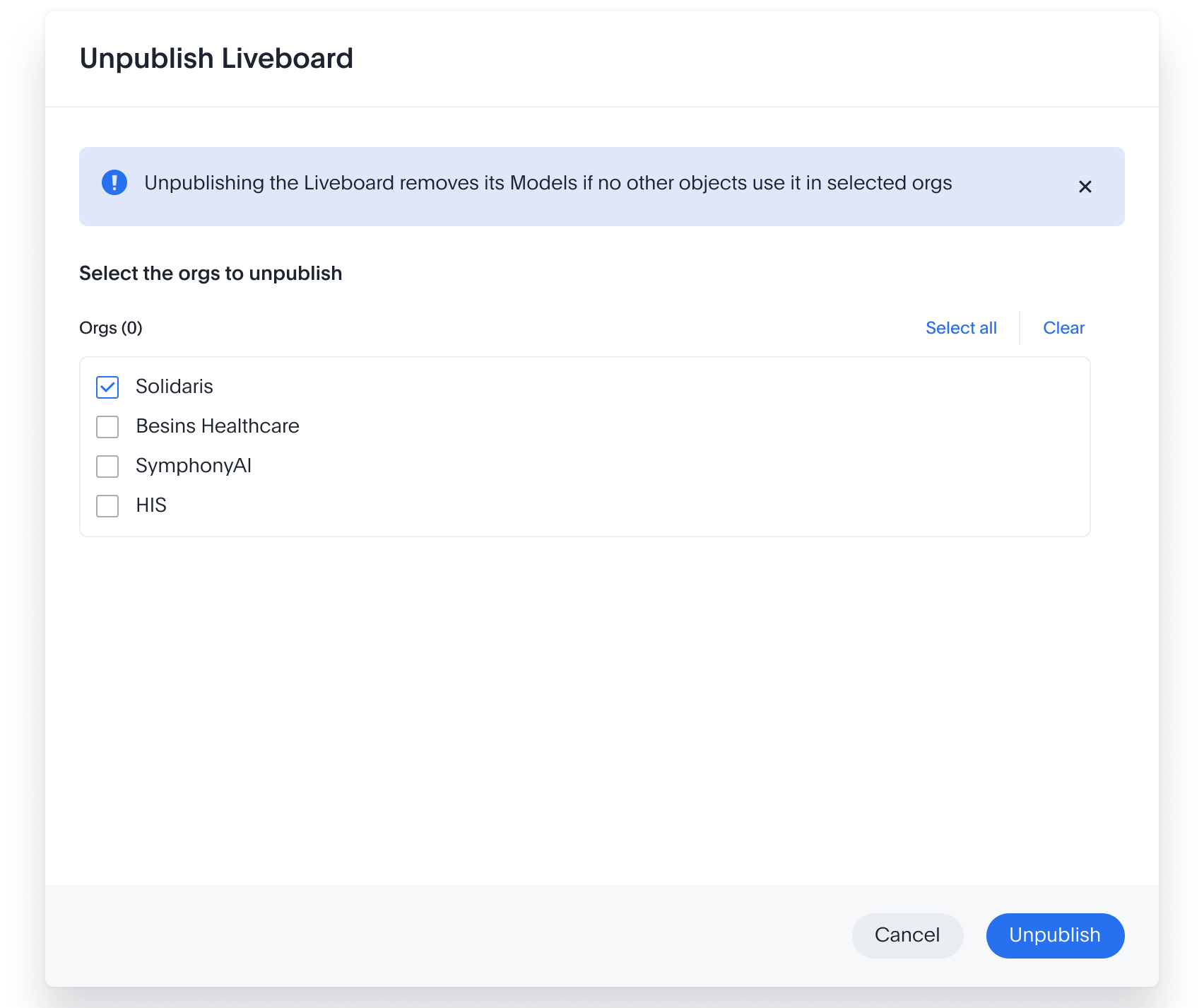
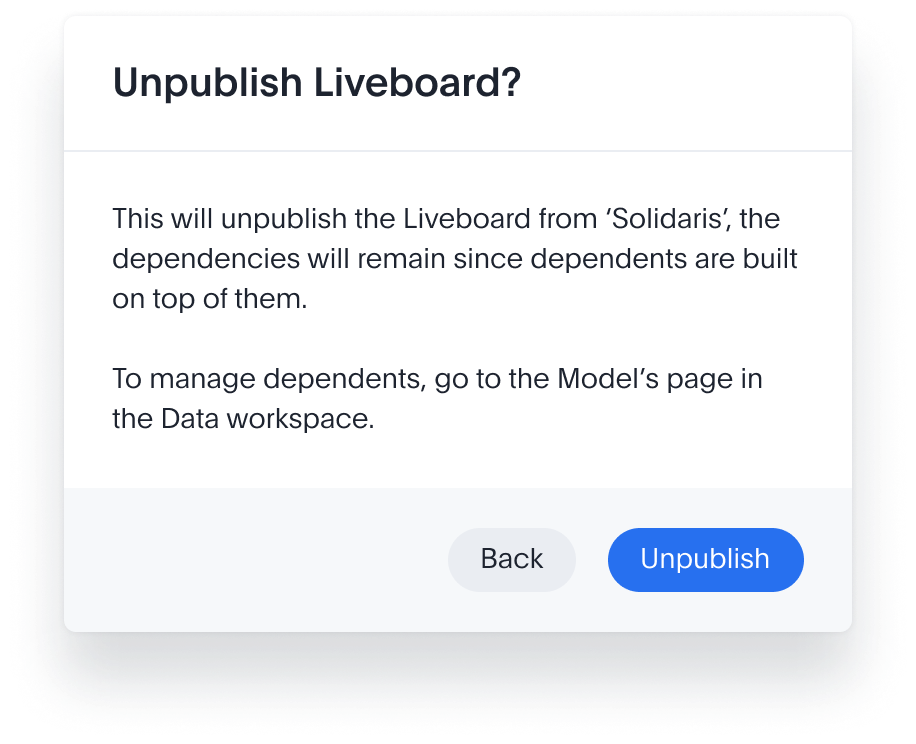
A model feeds hundreds of dependents across every org. Yank it and they all break at once, usually for people who had nothing to do with the decision. My job here: make the consequence visible, then make it a choice.
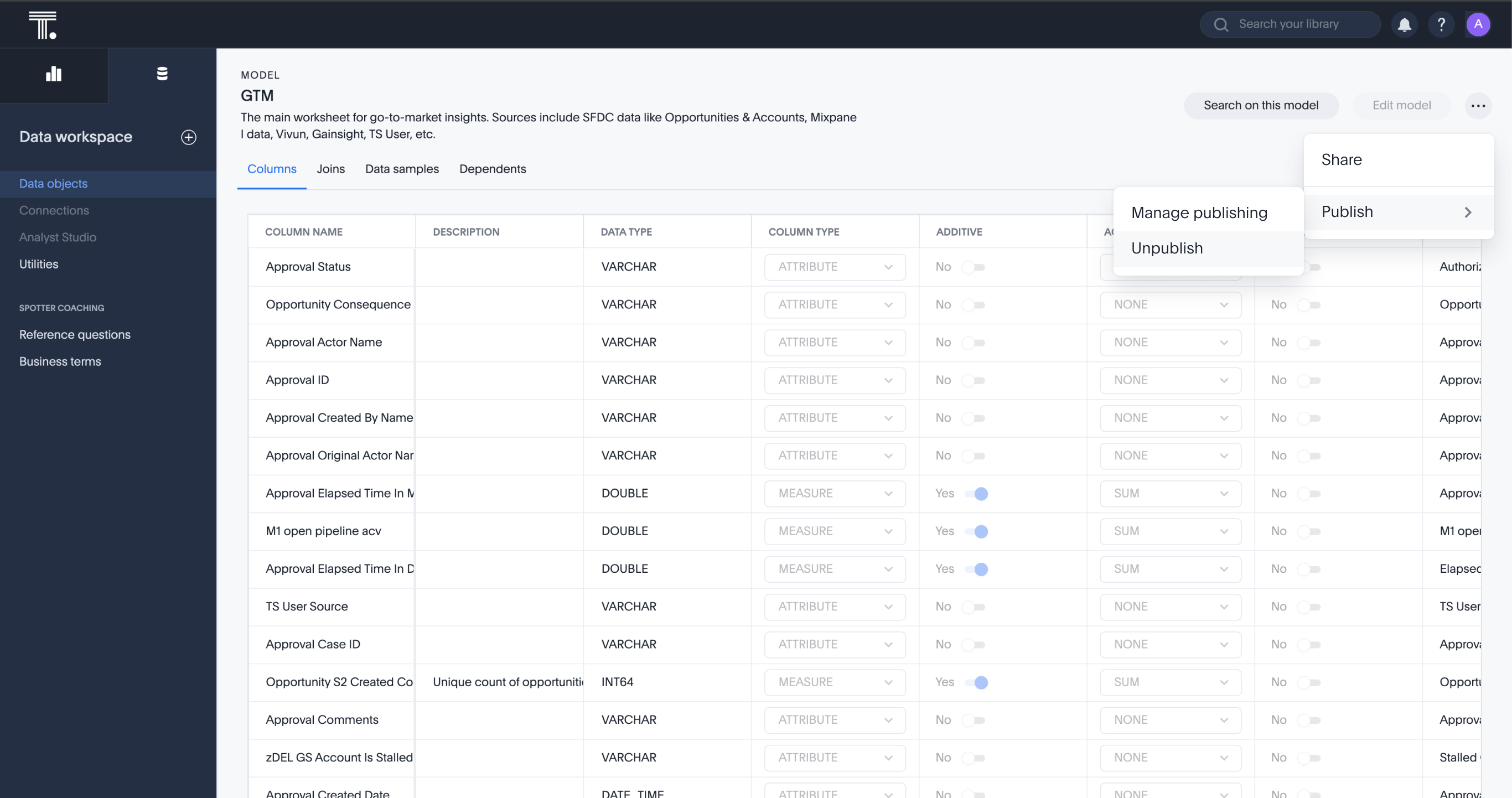
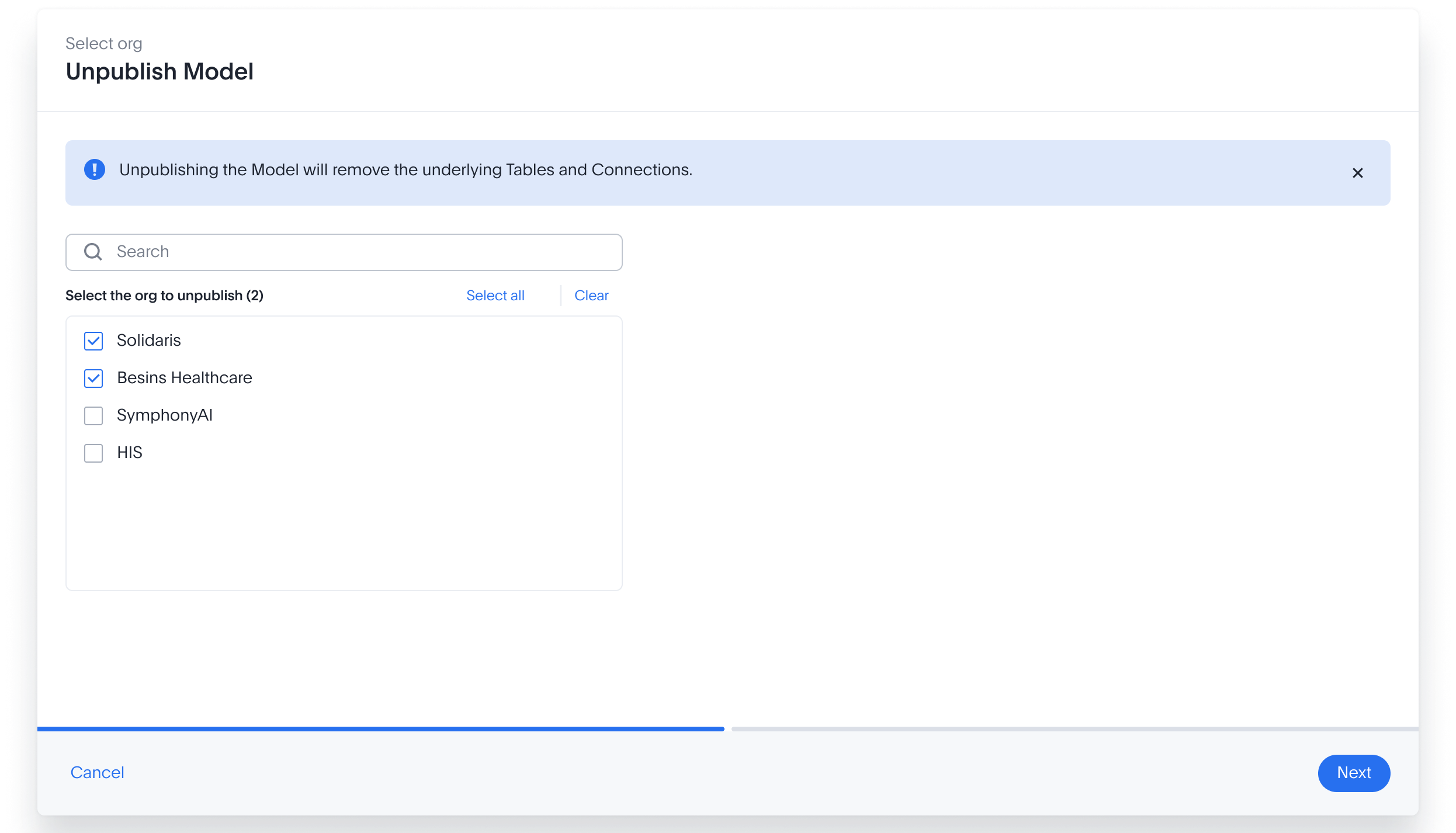
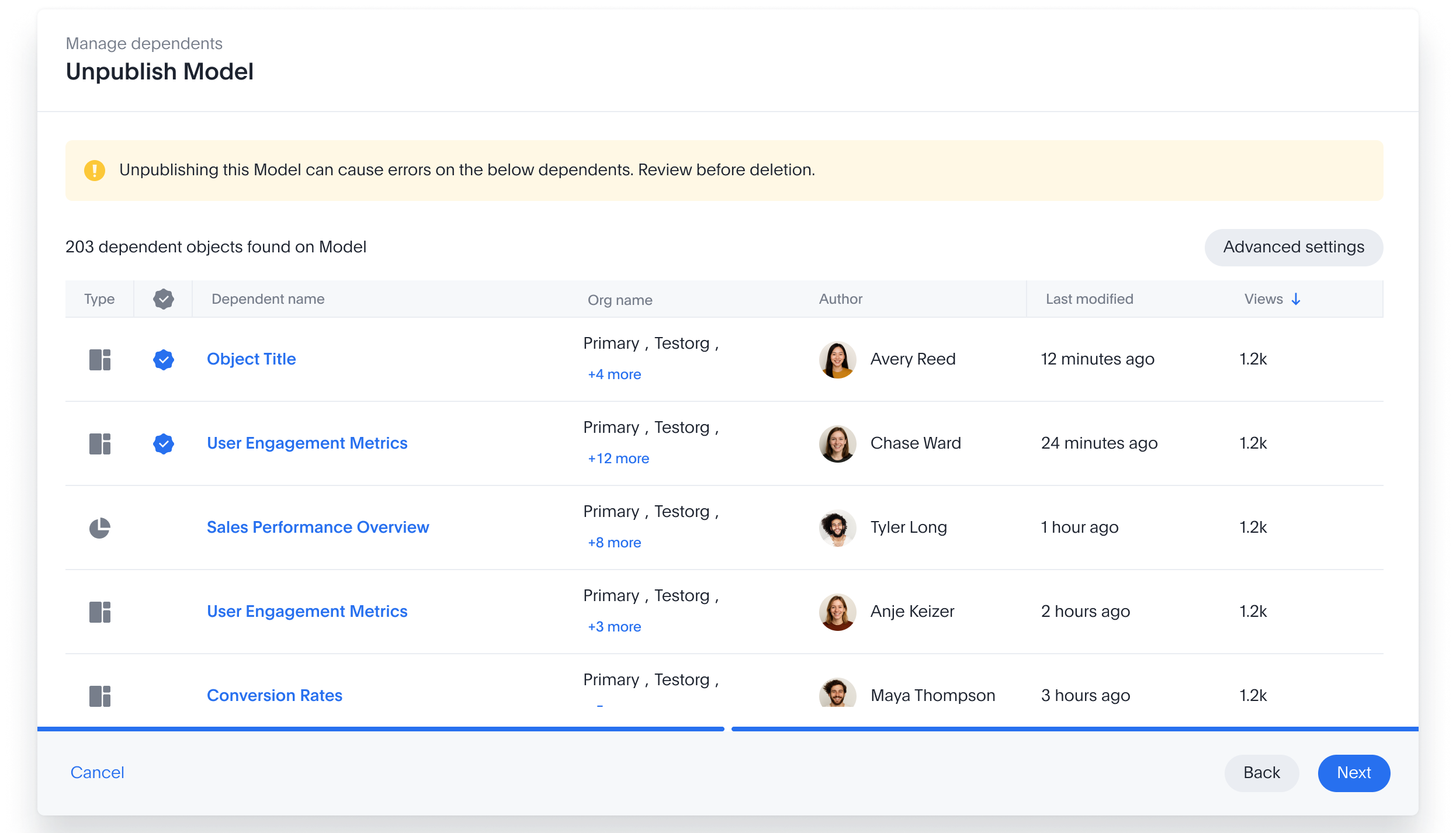
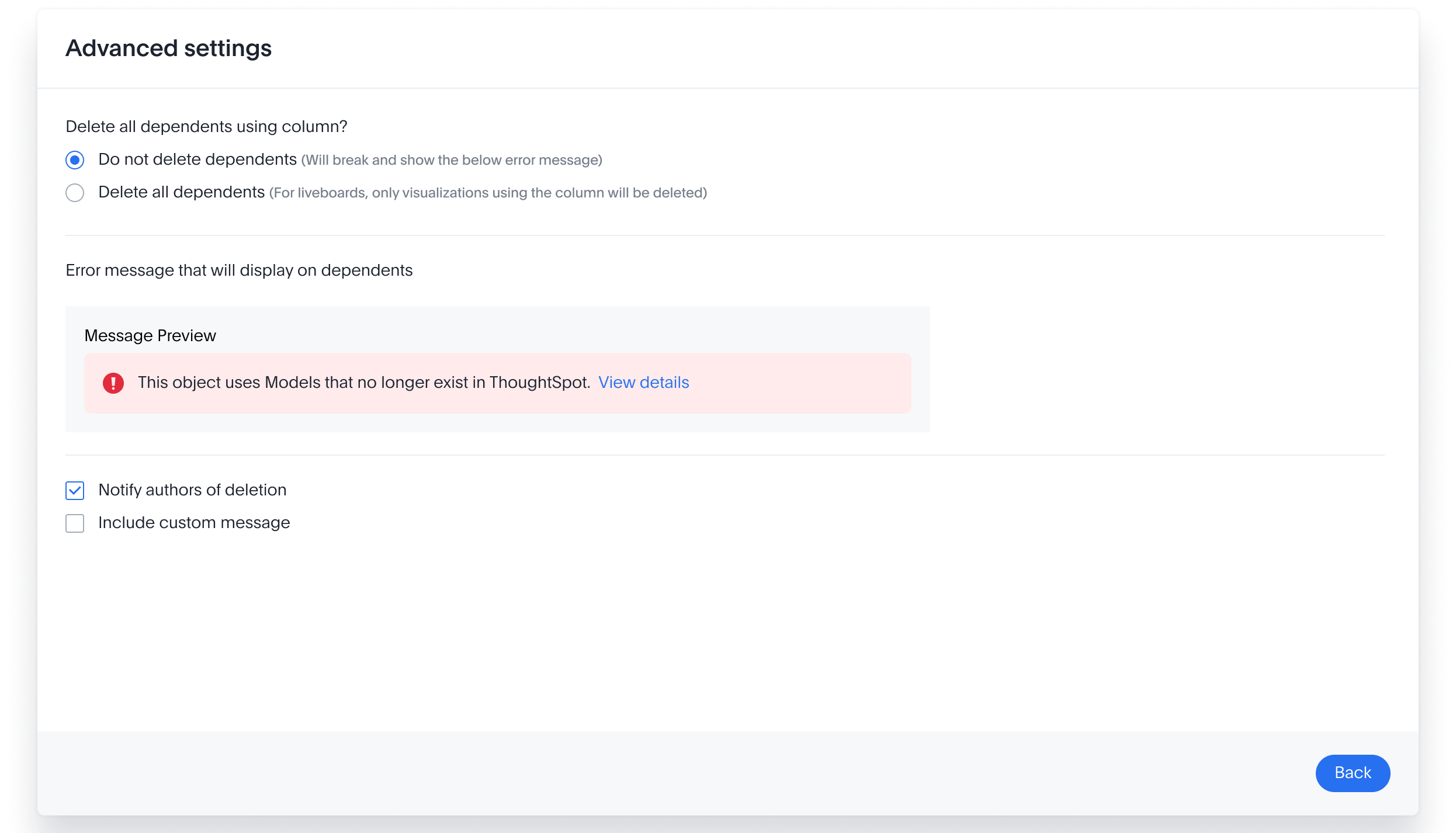
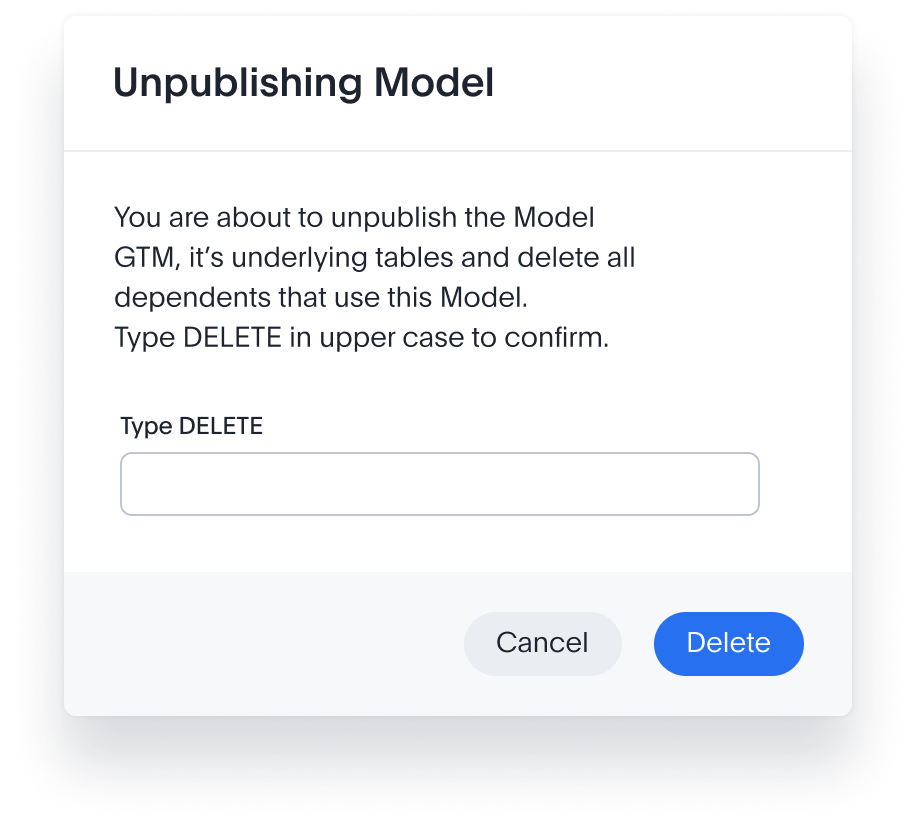
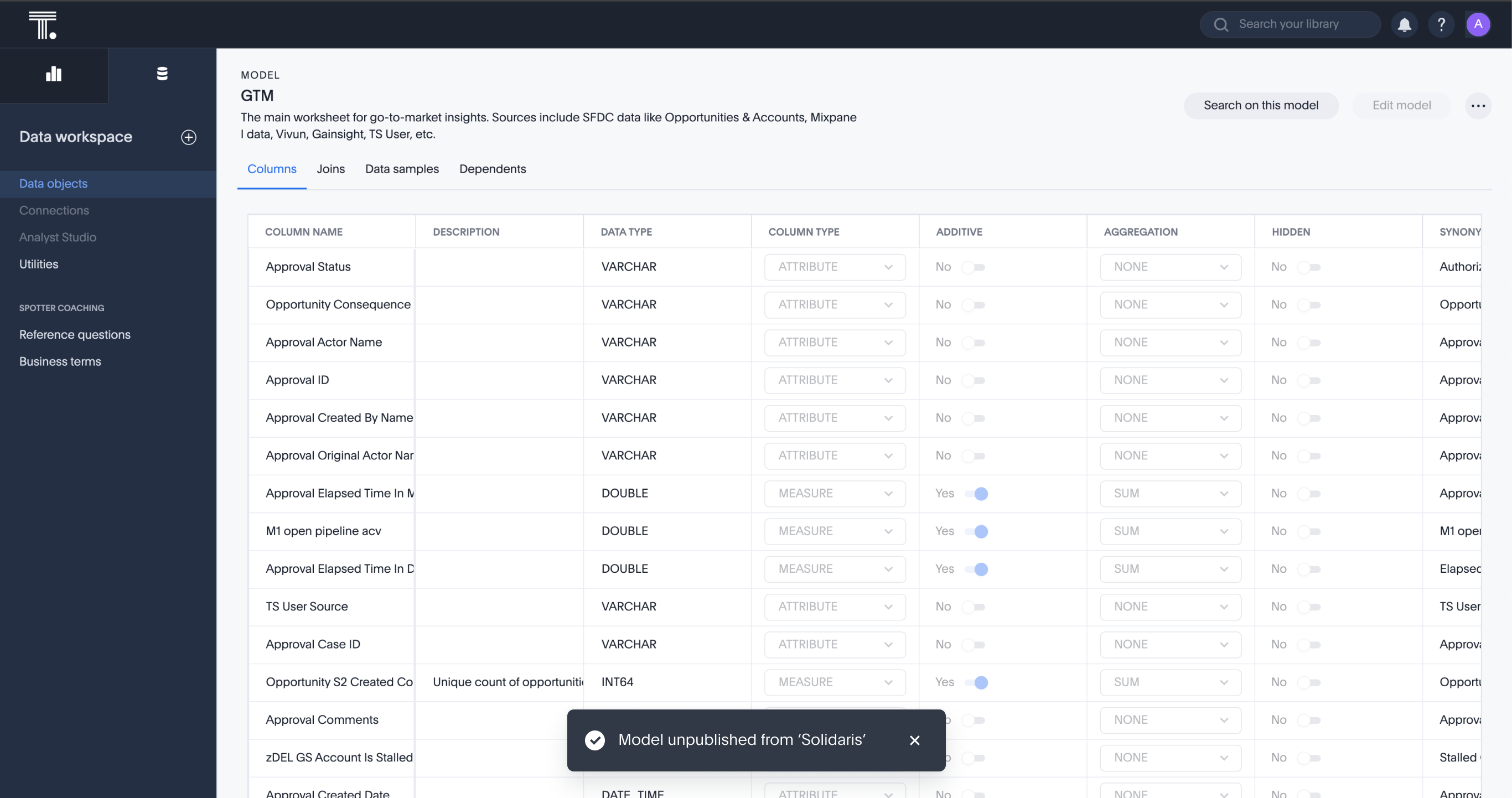
At 300-org scale one quiet click can break hundreds of live objects for people who never touched it. So this flow refuses to be quiet: show every dependent, make the broken state an explicit choice, notify the humans who'll hit it, gate the point of no return. That's the line between safe at scale and not.
The whole system, what it builds, and what it safely takes down.
Top-down and bottom-up, one org or three hundred, every path drawn, and drawn to be safe. Which leaves one question: did it land?Before the customer numbers, the one I'm proudest of: the whole system, publish, unpublish, parameterise, unparameterise and the variables admin surface, designed and handed to engineering in about four weeks.
Brand-new machinery underneath, a brand-new interface on top, drawn once, in one source-of-truth Figma file.
New concepts were being invented weekly, so speed was the constraint, and the edge cases still couldn't slip: five flows, every empty, loading, error and success state accounted for.“When we decided to build the interface along with completely new machinery underneath, the mountain looked steep.”
engineering lead, looking back from ship dayThe rollout that used to book a week now takes one to two minutes.
My first end-to-end feature ownership. What got noticed wasn't only the UX, it was the turnaround: on a project with constant pivots, a designer who could re-cut a flow overnight unblocked engineering instead of gating it.
Thanks for making quick changes whenever any UX change was required to unblock.
- the shipping engineerFull of ideas and always ready to take on new challenges, took all the inputs and came up with great UX. Love the energy.
- the engineering leadPublishing didn't stop at Liveboards, and it didn't stop at GA. Shipping the foundation kicked off a whole roadmap of follow-on work, still shipping on the same three-layer system: